
Publish this week
Noor picks this week's topics from what you already rank for, writes two articles and a newsletter, and publishes to the site you already have once you have approved them.
Noor Winter sets your social media strategy and posts for you on LinkedIn, Facebook and Instagram. She runs your email marketing and rewrites your website in your tone of voice. All of it once you have approved it.
 Noor Winter
Content marketer
Noor picks this week's topics from what you already rank for, writes two articles and a newsletter, and publishes to the site you already have once you have approved them.
Noor plans what to post, write and send, writes it in your voice, publishes it and checks how it did. Every step waits for your approval, and none of it waits for you to find the time.
01
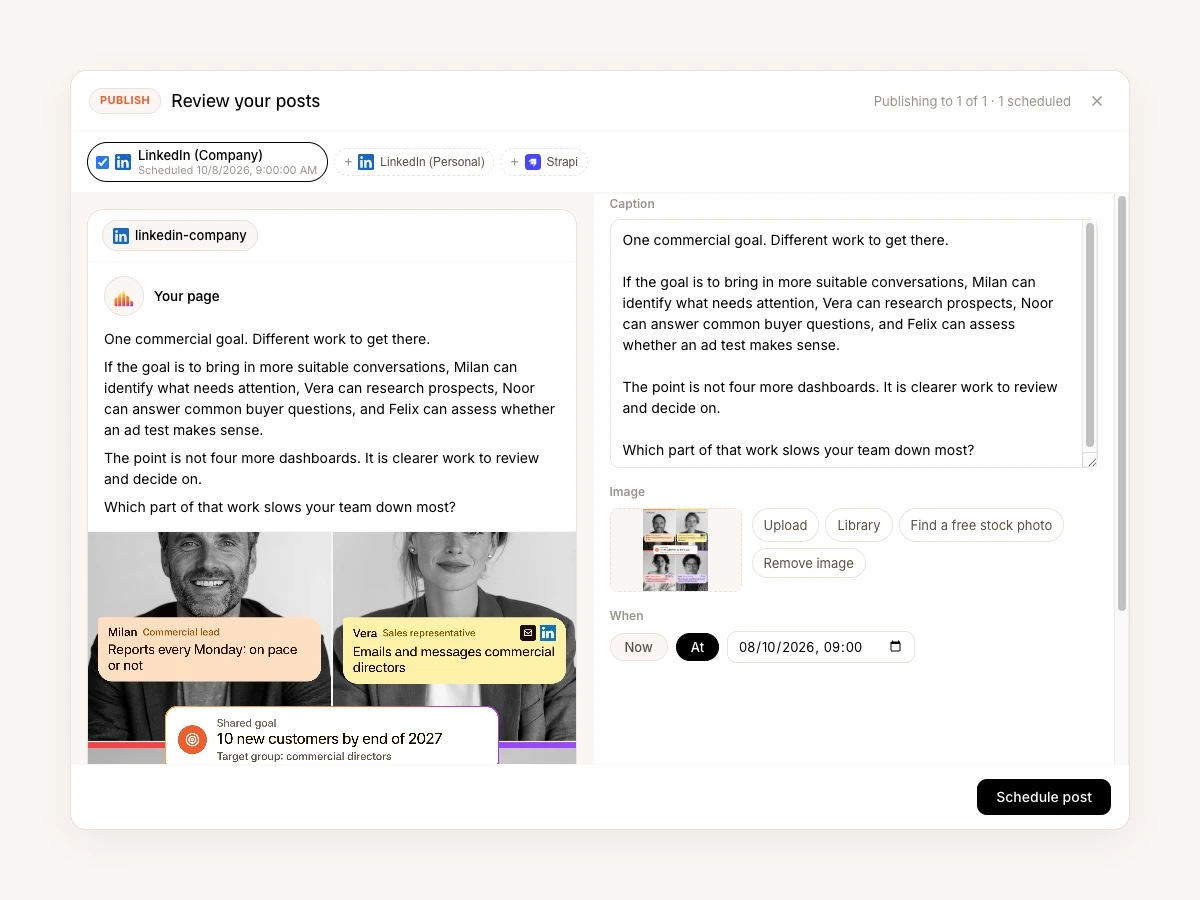
Noor starts with the strategy: who you want to reach, the angle, the channels and how often to post. Once you approve the plan, she writes the posts in your voice and publishes them herself on LinkedIn, Facebook and Instagram, each at its planned time.
02
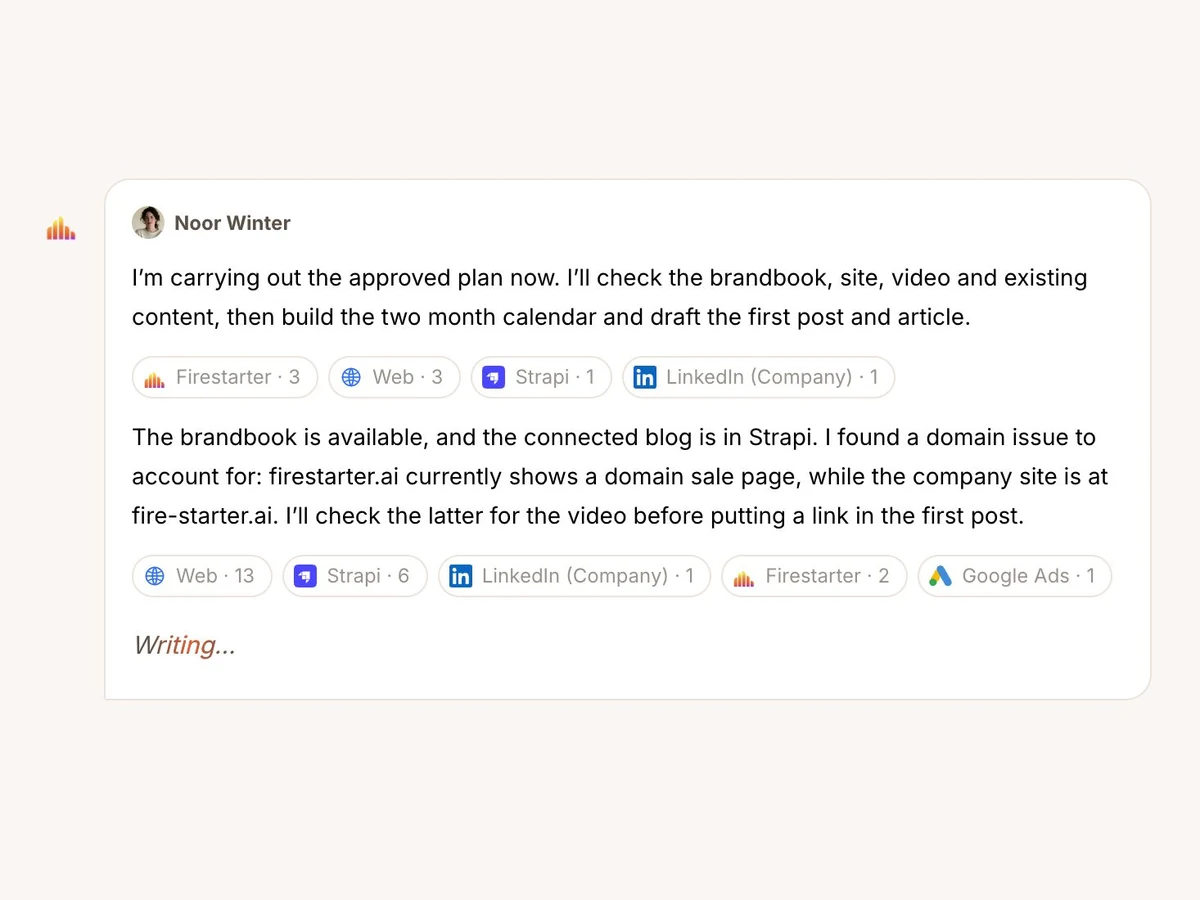
Noor reads your website and rewrites the pages that do not sound like you yet, from the homepage to your services. New articles get the same voice, and once you approve one she publishes it in WordPress or Webflow herself. Nobody has to copy and paste.
03
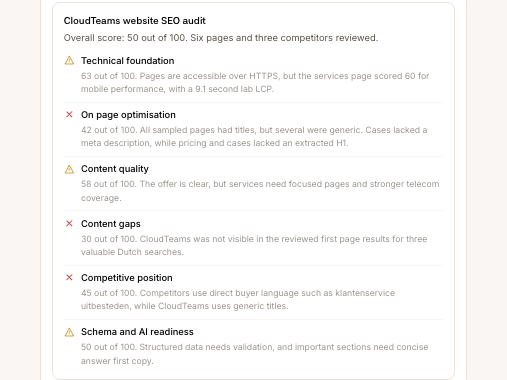
Noor checks how your pages rank, where competitors outrank you and which pages are one fix away from the first page. Then she proposes the changes, and makes them when you say yes.
You do not brief Noor every week. Noor reads the same numbers you do, and when they move the wrong way the proposal is already written when you open the app.
Noticed
One of your pages started ranking for a question you have never written about properly.
Proposes
An article on that question, a sharper version of the page, and a week of posts and an email that point to both.
You approve
She writes it all in your voice and schedules the posts on LinkedIn, Facebook and Instagram.
It waits there until you approve it.
And what Noor never does on her own. Nothing is posted on your socials, published on your site or sent to your list before you have read it.
Owns
Social, email, content and SEO
What to post and write, on which channel, in what order, and how each piece did after it went out.
Hands you
A week of posts, emails and articles to approve
Each with one line on why now, the channel it is for, and the sources she used.
Everything Noor can do, grouped by the job it is for. Ask in your own words: she picks the right skill.
You approve first marks the work that sends, books or changes something outside Firestarter. Nothing like that happens until you say yes.
01
In your voice, on the channels you already use.
Write a post for LinkedIn, Instagram or Facebook
Written for each platform, in your tone, with the hashtags and call to action it needs.
Publish on LinkedInYou approve first
To your own feed or your company page.
Publish on InstagramYou approve first
A photo, a carousel or a Reel, and answers to the comments and messages.
Publish on FacebookYou approve first
Posts on your company page, and replies to the comments.
Publish one post everywhere at onceYou approve first
LinkedIn, your website and Slack in one go, now or at a time you pick.
Plan your posts for the monthYou approve first
What goes out when, on which channel, and why, scheduled once you agree.
Audit your social media
What works on your channels, what does not, and what to change.
Post or reply in SlackYou approve first
In the channel you name, when you ask for it.
02
Pages and articles that sound like you.
Write a blog postYou approve first
From a topic and the keywords you want to be found on, placed on your site as a draft if you want.
Write a landing pageYou approve first
Built to turn visitors into leads, placed on your site as a draft if you want.
Rewrite your websiteYou approve first
Page by page, in your tone of voice, straight into your site.
Write a case study
A customer's story, told so the next customer sees themselves in it.
Turn one piece into many
One article reworked into posts, a mail and more.
Plan your content
A calendar of what to write, tied to what you want to grow.
Publish to your websiteYou approve first
As a draft or live, in WordPress, Webflow or Strapi.
03
Search traffic that grows month after month.
Audit your website for search
The technical and content fixes, most important first.
Improve a page for searchYou approve first
The title, headings, text and links of one page, improved on your site.
Sort out pages that compete
Which page answers which search, what to merge into it, and what to check before a redirect.
Check the links in your text
Whether your pages link to your services and booking page from the text itself, and the sentence where each link fits.
Review a landing page
What it promises against what it offers, with every claim listed for a professional to check.
Find the keywords worth winning
With real search volumes when Google Ads is connected, and the junk searches left out.
Watch your competitors' keywords
Where they rank and you do not, and where you can catch up.
Watch your competitors every week
What they published and changed on their sites, where they were mentioned, and what it means for your content; every Monday in your inbox.
Track your search progress
Rankings and search traffic over time, so you see what the work did.
04
Mails your list actually opens.
Write an email campaign
The sequence, subject lines, preview text and call to action.
Write your newsletter
Your news, in your voice, ready to send.
Split your list into segments
So each group gets the mail that fits them.
Test two versions of a mail
Subject line or content, with a clear winner at the end.
Send the campaign in MailchimpYou approve first
Built, tested, and sent or scheduled once you have seen it.
Check how your mails perform
Opens, clicks and unsubscribes held against common benchmarks.
 Commercial lead Reads everything, executes nothing, and tells you where the plan is off.
  Sales representative Fills the pipeline from the customers you already won, and keeps the CRM honest.
  Paid ads manager Runs your ads day to day, so you do not need an agency.
  Customer success A person, not an AI, who gets you running and stays with you.
 Add Vera, Noor or Felix when the plan asks for them.